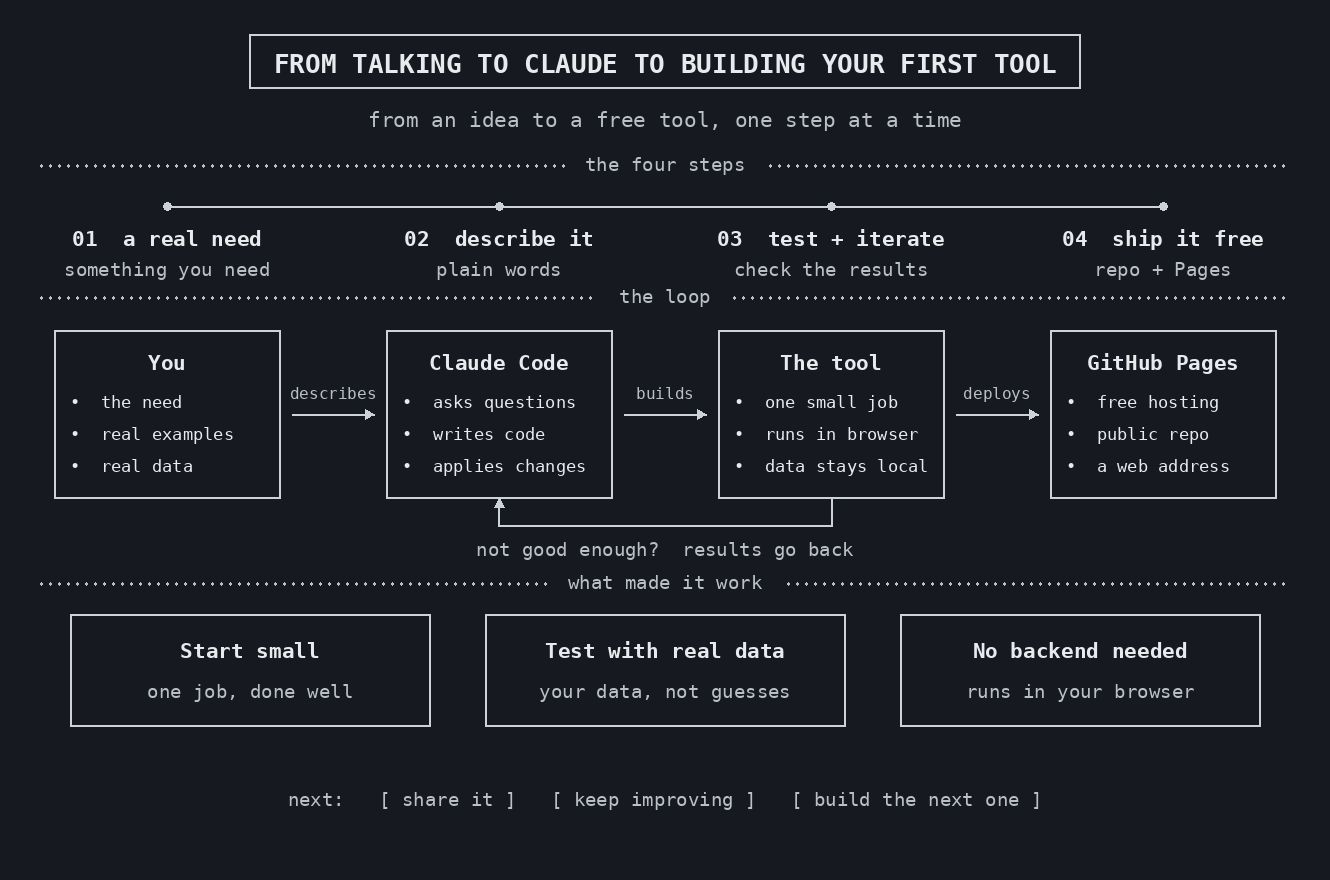
Last week, my son was struggling to study for a Catalan exam. The phonetics tools he found online didn’t really work, and he needed a way to practise and check his answers. I thought that Claude could help me.
In this case, I wanted to go further than asking for something (analysis, theories, etc.) and create something: a tool that could be used independently by my son. But I didn’t feel like writing the code myself, and I didn’t have much time either. So I told Claude what I needed, tested the result and asked for changes.
To be sure that the tool was working well, I took some photos of my son’s notebook. The first results were 62 correct transcriptions out of 74. Not bad for a first version, but I didn’t want a tool that gave wrong results.
After reviewing and testing it, I made TotFonetika public and free. You can use it directly from your browser, and the text that you enter stays on your device.
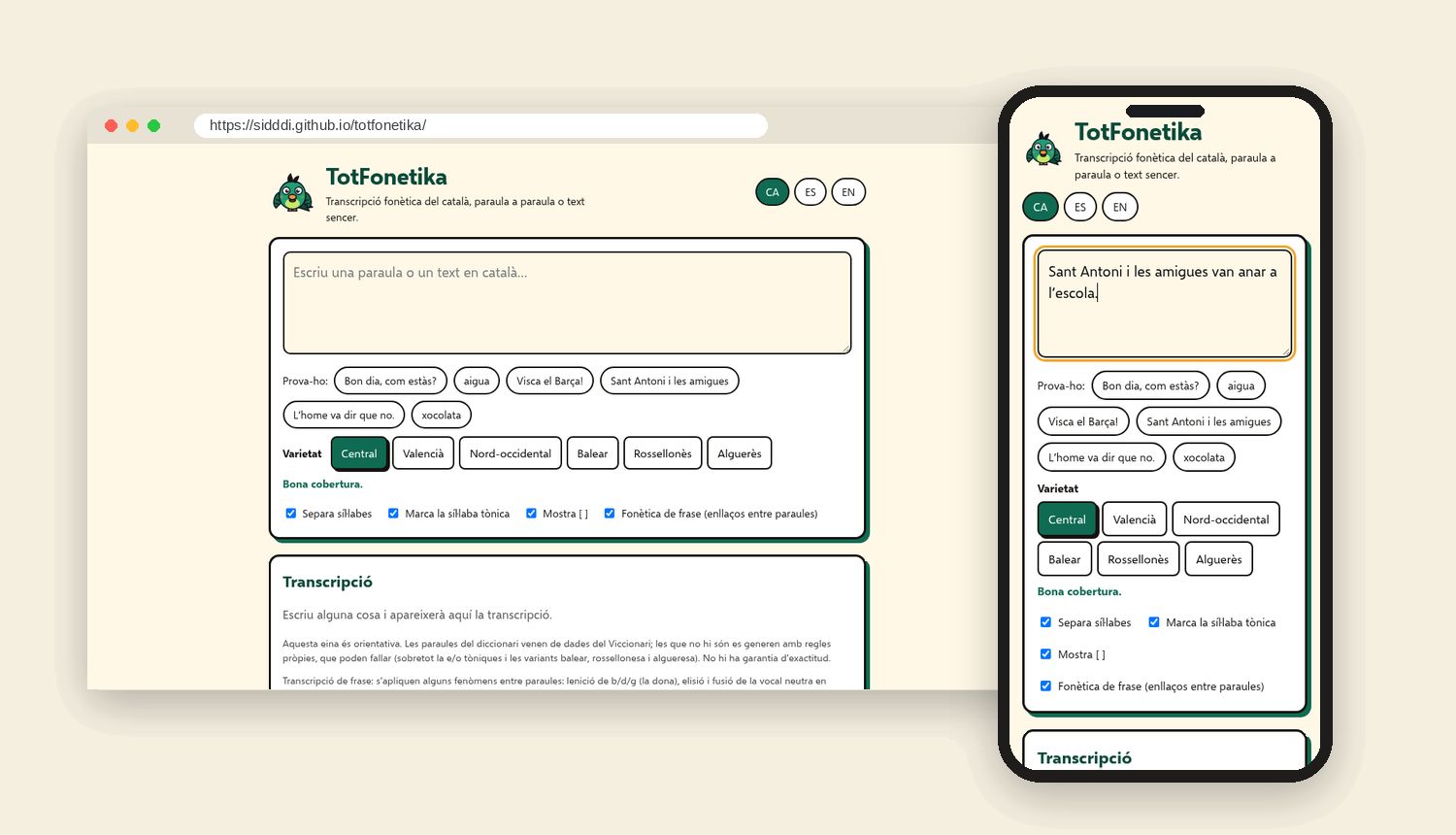
As you can see, you can go from asking the AI questions to creating your own tools, even if you don’t know how to program.
Getting started
An easy way to start could be to use Claude Code (which is included in a paid Claude Pro subscription). You can work on your own computer (in the terminal) or in the cloud, from your browser.
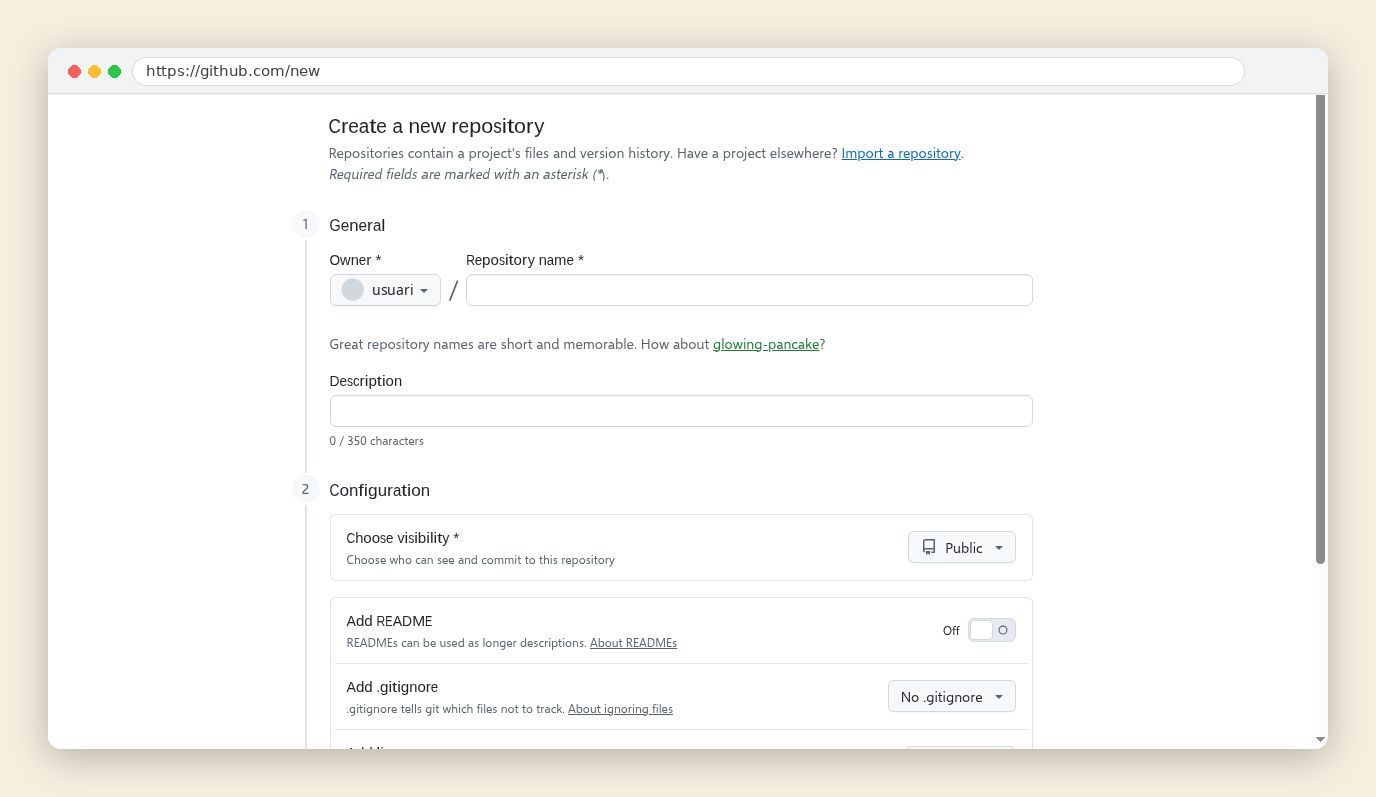
And if you want to work on your project in the cloud, you can use GitHub, a platform that allows you to save your files and have a history of your changes. Every project has its own space (called a repository), and Claude will use it to read the files and save the changes.
You can ask Claude to guide you through the setup:
I’m new to GitHub and want to use Claude Code in my browser. Help me create a free account, a repository with a README file, and connect it to Claude Code. Give me one step at a time and wait for me before continuing.
Define your idea
Once you have your environment ready, explain to Claude what you want to create and who it’s for:
I want to build a web tool that [describe what it does] for [who will use it]. Ask me three questions to define a small first version. I’ll provide examples of the expected results.
Hosting and databases
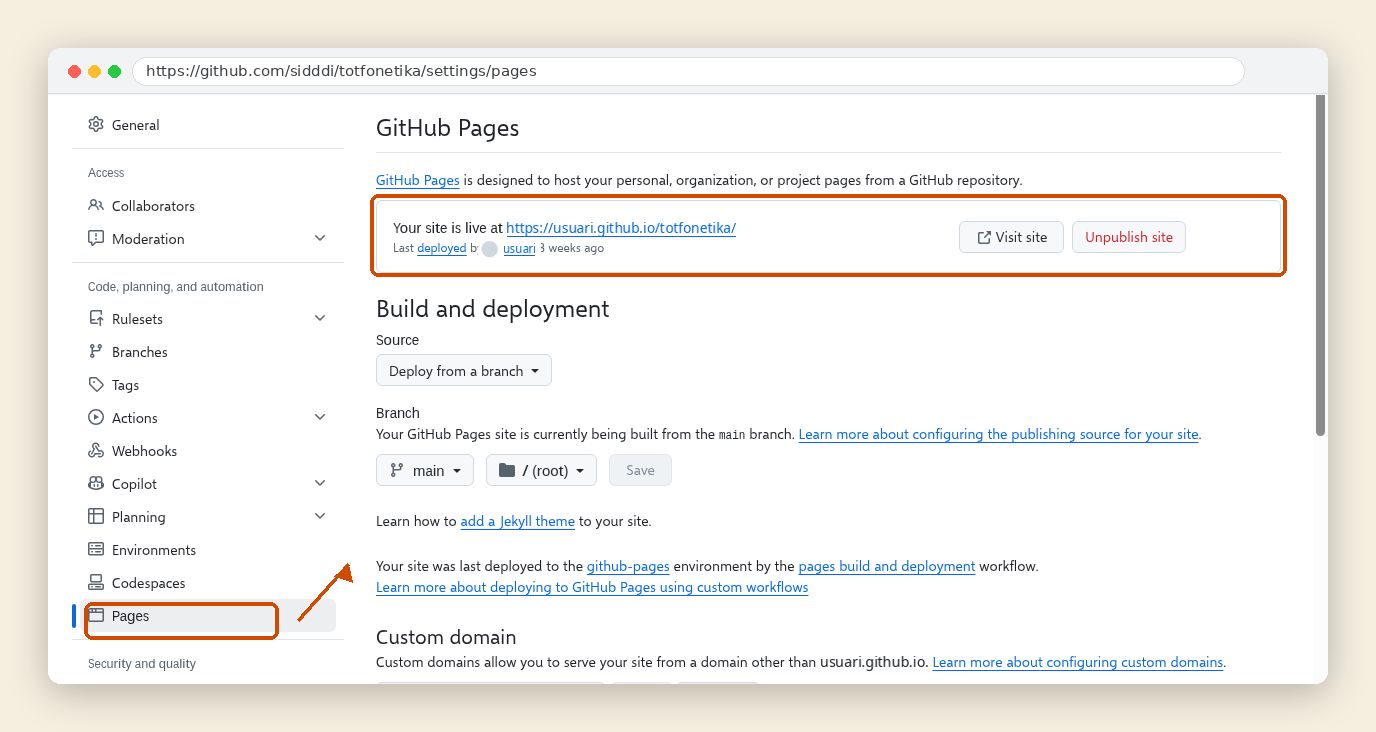
About the environment, your tool can work with or without a database. In my case, I don’t need a database because the phonetic conversion is done directly in the browser. In this case, my recommendation is to use GitHub Pages, a free service available directly on GitHub. You need to make your repository public and set up GitHub Pages under Settings → Pages. Then you can access your tool through a web address, as you can see with my application, TotFonetika.
If you need a database, you can use a service like Supabase. For server-side code, you can use a hosting service like Render. Both offer free options with limits, and you can upgrade to a paid plan.
If you’re not sure which option to choose, you can ask Claude to help you decide and build the first version:
Suggest the simplest setup for this tool. Explain whether it needs a database or server, which services to use and any costs. Then build the first version and show me how to run it.
Testing and sharing
Once the first version is ready, start testing it yourself with the examples you already have. You can also ask Claude to run automated tests:
Create and run tests using these examples and expected results, including empty fields and incorrect input. Fix any errors and repeat the tests. Tell me what you verified and what you couldn’t check.
You can also start a new session in Claude or ask another AI to test it.
When everything is done, ask Claude to guide you through publishing:
Help me publish this project using our chosen hosting service. Prepare the files, guide me through any account settings I need to change, and check the final URL.
After that, you can also improve it, but it is time to share it. That’s when my son sent me some useful comments (after all, he was the product owner...).
What seems most interesting to me is the ability to create your own custom tools: tools for your son, tools for your everyday life or tools for your work. Real needs, solved with your own knowledge and a few custom touches.