I’ve been working with AI for months. Agents, RAG, governance, prompt engineering. Conversations with Claude that took hours.
The problem: all of that lives in chat history. Every time I open a new session, I start from zero. The model doesn’t know who I am, what I’ve built, or what I’ve already learned. I re-explain everything. Every time.
It’s not just inefficient. It means the knowledge I’m accumulating isn’t really mine. It belongs to a chat window.
So I decided to fix it.
The idea: Andrej Karpathy’s LLM Wiki
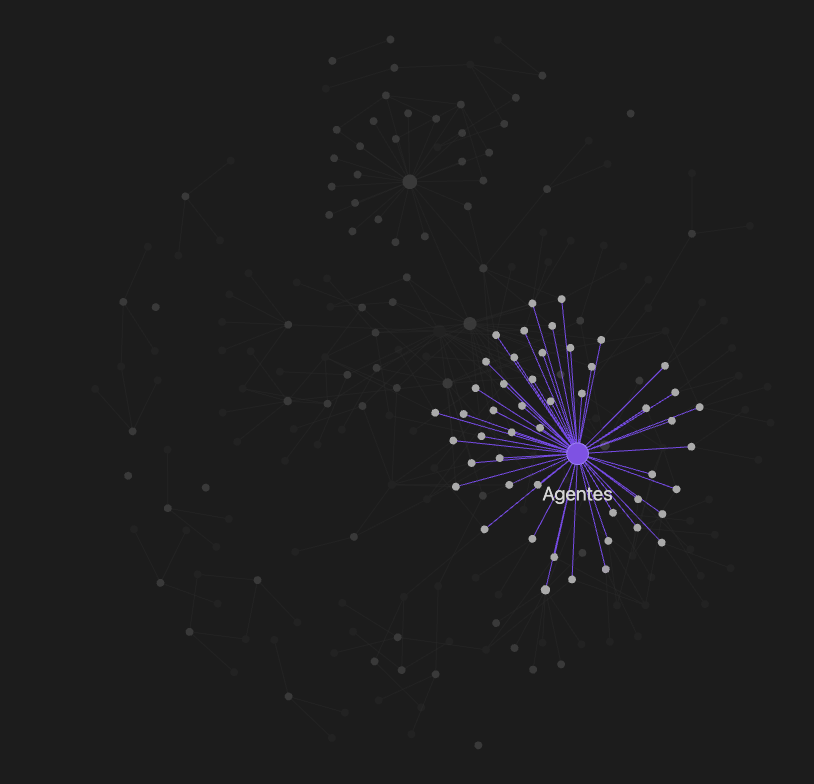
A few weeks ago, Karpathy published a simple pattern he calls LLM Wiki (full gist here: https://gist.github.com/karpathy/442a6bf555914893e9891c11519de94f). The idea: instead of asking your AI the same questions over and over, make it build and maintain a personal knowledge base. A wiki of markdown files that compounds over time.
The difference with RAG: RAG retrieves and forgets. A wiki accumulates and connects.
What you need before starting
- Obsidian: https://obsidian.md (free)
- Claude Code: https://claude.com/product/claude-code (requires Claude Pro or API key). Available as CLI, VS Code extension, or directly in the Claude app.
- Claude Conversation Exporter: https://chromewebstore.google.com/detail/claude-exporter/niicpkfpebcmikhdmmjnlamoljlabkni (Chrome extension)
- Obsidian Web Clipper: https://obsidian.md/clipper (Chrome extension)
That’s it. No databases, no Python, no extra infrastructure.
A quick note on how this works
There are three concepts worth understanding before you start.
CLAUDE.md is the operating manual for your vault. It tells Claude who you are, what topics matter to you, how to organize the wiki, and what rules to follow. Without it, Claude Code is a generic agent. With it, it works exactly the way you want. You write it once and refine it over time.
CRITICAL_FACTS.md is a tiny file (around 120 tokens) with your name, role, and context. Claude reads it at the start of every session. It’s what makes Claude always know who it’s working with, even in a fresh session.
The outputs/ folder is where you save the results worth keeping. When Claude generates a comparison, a briefing, or an analysis that’s good enough to reuse, you tell it to save it there. It’s optional but useful.
How I built it in one afternoon
Step 1. Create the folder structure inside your Obsidian vault.
Your Obsidian vault is just a folder on your computer. Open it and create three subfolders:
raw/       — sources go here (articles, exported conversations, anything)
wiki/      — Claude writes and maintains this
outputs/   — answers, analyses, briefings
Step 2. Write a CLAUDE.md file. Here’s a template to start from:
# Knowledge Base Schema

## What This Is
A personal AI knowledge base about [YOUR TOPIC].

## Core Topics
1. [Topic 1]
2. [Topic 2]
3. [Topic 3]

## Wiki Rules
- raw/ contains unprocessed sources. Never modify these files.
- wiki/ is maintained entirely by Claude.
- Every wiki entry has: TL;DR, What It Is, How It Works, Practical Implications.
- Maintain index.md updated after every ingest.
- Delete raw files after successful ingestion.

## On every session start
Read CRITICAL_FACTS.md first.
To personalize it to your context, open Claude Code inside your vault folder and run:
I have this CLAUDE.md template. Adapt it to my context.
Ask me about my role, my topics, and my projects.
Step 3. Add a CRITICAL_FACTS.md file. About 120 tokens. Name, role, projects, context.
To generate yours, from inside Claude Code run:
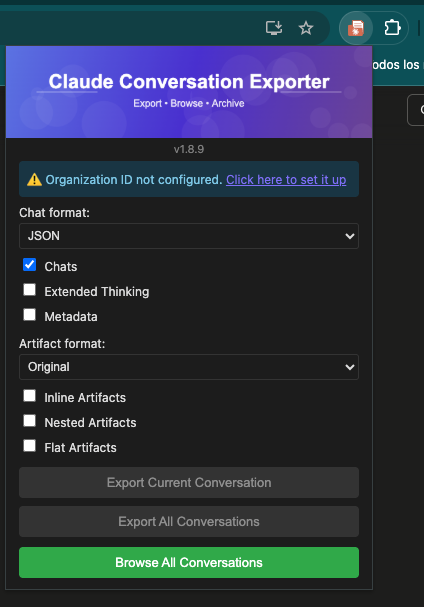
Create a CRITICAL_FACTS.md file for my vault. It should be under 150 tokens and include: my name, my current role, my main projects, my areas of expertise, and my preferred working language. Ask me for each piece of information.Step 4. Export your relevant Claude conversations as Markdown using Claude Conversation Exporter and drop them into raw/.
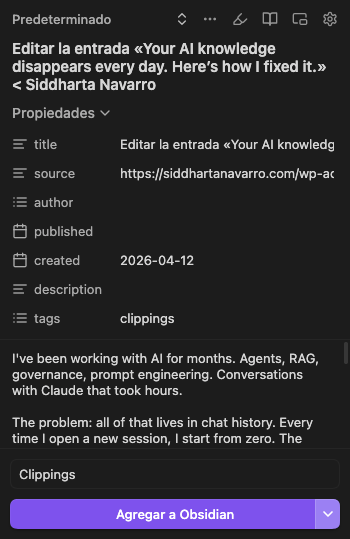
For articles you find while browsing, use Obsidian Web Clipper to clip them directly into raw/.
Step 5. Open your terminal, navigate to your vault folder, and launch Claude Code:
cd ~/your-vault-name
claude
From inside that Claude Code session, run:
Ingest all files in raw/Claude reads everything, creates interconnected wiki pages, updates the index, and logs what it touched.
How to use it once it’s running
To add new knowledge, drop any source into raw/. An article you found, an exported Claude conversation, a document. Then open Claude Code inside your vault and run:
Ingest all files in raw/To query your knowledge, open Claude Code inside your vault and ask in plain language:
What do I know about RAG vs LLM Wiki?
Summarize everything I've learned about AI agents.
Claude reads your wiki and answers from what you’ve actually learned. Not from the internet. From you.
To save a good answer back to the vault, at the end of a useful session run:
Save the key learnings and decisions from this session to the wiki.Claude extracts what matters and updates the relevant pages. Nothing gets lost.
What changed
Before: “explain RAG” gets a generic answer from Claude’s training data.
After: “explain RAG” gets an answer grounded in what I’ve actually learned, my projects, my decisions, my open questions.
It’s not a chatbot anymore. It’s a system that knows me.
If you want to build it
The full setup takes one afternoon. You need Obsidian and Claude Code. That’s it.
Happy to answer questions in the comments. And if you build your own version, I’d love to see what you put in it.